Smartphones have become an important part of photography, video recording, travel, fieldwork, and everyday file management. An iPhone or iPad can capture high-quality photos and videos, but many cameras and other devices still store their files on removable memory cards. Moving those files to an Apple device can therefore require a compatible card reader.
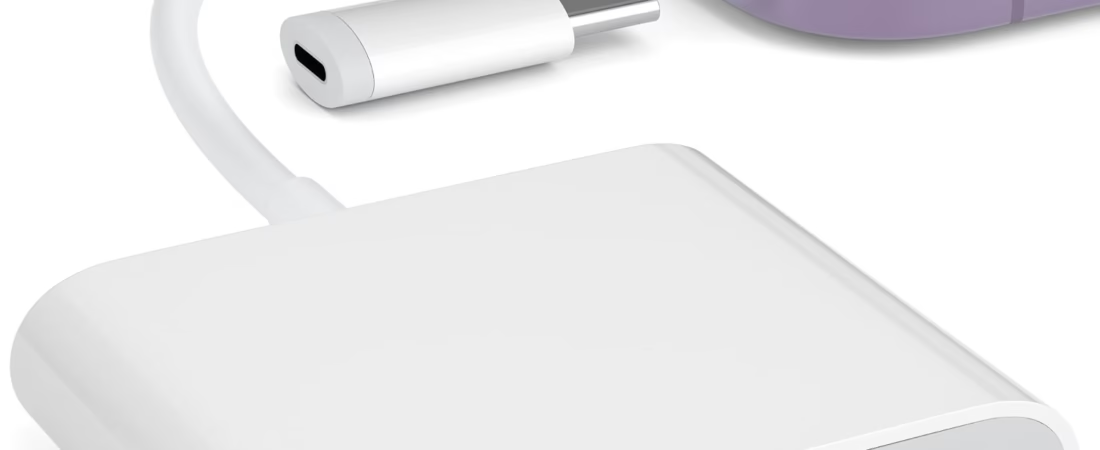
The SZHAIYIJIN SD Card Reader for iPhone is designed for this type of situation. The product combines memory-card access with a USB camera-adapter-style connection, allowing compatible iPhone and iPad users to work with files stored on SD and TF cards, including microSD cards.
The product is described as plug and play and as requiring no additional app for its intended use. This type of design can be useful for people who want to transfer or access photographs and videos without relying on a separate computer.
It can be especially relevant to photographers, travelers, outdoor users, trail-camera owners, students, content creators, and anyone who regularly works with removable memory cards.
However, compatibility is an important part of using any card reader with an Apple device. The iPhone or iPad model, connector type, operating-system version, memory-card format, file system, and available power can all influence whether a particular card is recognized and how files can be accessed.
Understanding how an SD card reader works can help users make better use of the accessory while avoiding common problems such as unsupported cards, incorrect file formats, insufficient power, or confusion about where imported files are stored.
What Is an SD Card Reader?
An SD card reader is an accessory that allows a computer, smartphone, tablet, or other compatible device to communicate with a removable memory card.
SD cards are commonly used in:
- Digital cameras
- Trail cameras
- Action cameras
- Camcorders
- Drones
- Portable recorders
- Security equipment
- Other electronic devices
The card stores digital information such as photographs, videos, documents, or other files.
A card reader provides the physical connection between the memory card and another device.
In the case of an iPhone or iPad, the reader can provide a way to access files from a card without first transferring those files to a desktop or laptop computer.
The exact workflow depends on the Apple device and operating system.
Understanding SD and TF Cards
The product is designed to support both SD and TF card formats.
An SD card is the larger memory-card format commonly found in cameras.
TF is another name historically associated with microSD cards. Today, microSD is the more familiar term.
MicroSD cards are significantly smaller than full-size SD cards and are commonly used in smartphones, action cameras, drones, trail cameras, and other compact devices.
The ability to access both formats can make a card reader more flexible.
For example, a photographer might use a full-size SD card in a digital camera, while an outdoor camera may use a microSD card.
The appropriate slot should be used for the corresponding card format.
Key Features
SD Card Support
The reader provides access to standard SD memory cards.
This can be useful for transferring photographs and video footage from digital cameras to a compatible iPhone or iPad.
Instead of removing the card and finding a computer, users can potentially connect the card directly to their Apple device.
This can be useful when traveling or working away from a traditional workstation.
TF / microSD Card Support
The product also supports TF or microSD cards.
MicroSD cards are common in smaller cameras and portable electronics.
Trail cameras, action cameras, and other compact devices frequently use microSD storage.
Having both SD and microSD compatibility can reduce the need for separate readers when working with different equipment.
USB Camera Adapter-Style Connection
The product is described as including a USB camera adapter plug.
This provides a connection between the card reader and a compatible Apple device.
The exact physical connector required depends on the iPhone or iPad model.
Apple has used different connectors across generations of devices, so users should verify that the reader’s connector matches their particular device.
A connector adapter may be necessary in some setups.
Plug-and-Play Operation
The reader is described as plug and play.
This means the intended workflow does not depend on installing a dedicated third-party application simply to access the card.
On compatible Apple devices, files may be accessible through the operating system’s built-in file-management or photo-import functions.
This can simplify the process.
Instead of downloading an unfamiliar application, users can work with the native software available on the device.
No-App Approach
The product description indicates that no additional app is required for its intended operation.
This can be useful because it reduces the number of software components involved.
Users can generally work through Apple’s existing file and photo-management environment when the device and card are supported.
However, “no app required” does not mean every file type will automatically open in every Apple application.
The operating system still determines which file types can be previewed or opened.
For example, a camera may store a specialized video format that requires a compatible application for playback or editing.
Portable Design
A card reader is relatively easy to carry alongside an iPhone or iPad.
This can be particularly useful for photographers and travelers.
Instead of carrying a laptop solely for memory-card transfers, a user can potentially access selected files directly from the Apple device.
The practical value of portability becomes more noticeable when working in locations where computer access is limited.
How It Can Be Used
Transferring Photos From a Digital Camera
One of the most common applications is moving photographs from a digital camera to an iPhone or iPad.
A typical workflow involves removing the SD card from the camera, inserting it into the reader, connecting the reader to the Apple device, and accessing the card’s contents.
Depending on the device and software, photographs can then be imported into the Photos library or copied through the Files environment.
This can be useful for photographers who want to review or share photographs immediately.
Reviewing Photos While Traveling
Travel photographers may not always want to carry a laptop.
An iPhone or iPad can provide a convenient screen for reviewing images.
A card reader can allow photographs stored on a camera’s SD card to be accessed on the mobile device.
This can be useful for selecting images, backing up important files to another compatible storage destination, or preparing photographs for sharing.
Users should remember that a card reader itself does not create a backup.
A photograph remains on the memory card unless the user deliberately copies it elsewhere.
Trail Camera Viewing
The product description specifically mentions trail game camera viewing.
Trail cameras are commonly installed outdoors to capture photographs or videos automatically.
Depending on the camera, files may be stored on an SD or microSD card.
Instead of bringing the entire camera back to a computer, users may remove the memory card and connect it to a compatible iPhone or iPad.
This can make field checking more convenient.
The exact file organization depends on the trail camera.
Some cameras create folders automatically, while others may use particular naming structures or video formats.
Accessing microSD Cards
MicroSD cards are frequently used in compact cameras.
A user can remove the card from the camera and insert it into the appropriate reader slot.
This can be useful for action-camera footage, outdoor photography, trail-camera images, and other portable-camera applications.
Because microSD cards are small, users should handle them carefully.
Dropping or misplacing a microSD card can be surprisingly easy.
iPad Photo Workflows
An iPad can provide a larger screen than an iPhone, making it useful for reviewing photographs and video footage.
A photographer can potentially transfer camera files to an iPad and use compatible editing software.
This can create a lightweight workflow for photographers who want to avoid carrying a laptop.
The exact editing capabilities depend on the iPad model, operating system, storage capacity, and applications being used.
Content Creation
Content creators may use removable memory cards with cameras, action cameras, and other equipment.
An SD card reader can provide a way to move footage onto an iPhone or iPad for reviewing or editing.
This can be useful for creators working away from their primary computer.
For large video files, however, transfer time and available storage should be considered.
Social Media Workflows
A creator may record a video using a camera and then want to move the footage to an iPhone for posting.
A compatible card reader can provide a physical transfer path.
This can reduce the need to upload footage to cloud storage first.
The workflow may look like this:
- Record the content on the camera.
- Remove the memory card.
- Insert the card into the reader.
- Connect the reader to the iPhone or iPad.
- Access the files.
- Copy or import the selected content.
- Edit or share the files using compatible applications.
Field Photography
Photographers working outdoors can benefit from being able to inspect images without returning to a computer.
For example, a photographer could take photographs during a long day outdoors and use an iPad to review selected images.
This can help identify exposure, composition, focus, or other issues before leaving the location.
The reader does not replace a proper backup strategy, but it can provide more flexibility for reviewing files.
Who It May Be Suitable For
Photographers
Photographers who use SD-card-equipped cameras may find a mobile card reader useful for transferring images to an iPhone or iPad.
Trail Camera Users
Users of compatible trail cameras can use the reader to access photographs and videos stored on SD or microSD cards.
Travelers
Travelers who carry an iPhone or iPad but prefer not to carry a laptop may find a portable card reader useful.
Content Creators
Creators using cameras, action cameras, or other memory-card-based devices can use a card reader as part of a mobile content workflow.
Outdoor Enthusiasts
Hikers, campers, wildlife photographers, and other outdoor users may use removable memory cards in cameras and benefit from being able to access them in the field.
Students
Students working with cameras or removable media can use an iPad or iPhone as an additional way to access files.
Mobile Editors
People who perform basic photo or video editing on an iPhone or iPad may find direct card access useful when moving content from a camera.
Important Things to Consider
Check the iPhone or iPad Connector
Apple devices do not all use the same physical connector.
Depending on the generation, an iPhone or iPad may use a Lightning connector or USB-C.
Users should verify their specific device before choosing a card reader.
Physical connector compatibility is only the first step.
The device must also support the relevant external-storage or camera-access functionality.
Check the Operating System
Operating-system support can affect how an external card reader behaves.
The available file-management and photo-import features can change between versions of iOS and iPadOS.
Keeping the device updated can help maintain compatibility, although an update does not guarantee support for every memory card or file type.
File System Compatibility
Memory cards can be formatted using different file systems.
The way a card is formatted can affect whether an Apple device can read it.
Camera manufacturers may recommend particular formats for their equipment.
If an iPhone or iPad does not recognize a card, the issue may not be the reader itself.
The card’s file system, directory structure, or condition may be involved.
Before reformatting a card, make sure important files are safely backed up.
Formatting generally erases the existing contents.
File Type Compatibility
Not every photograph or video file can automatically be opened by every application.
Modern Apple devices support many common image and video formats, but cameras can produce specialized formats.
For example, professional cameras may create RAW image files.
Some video cameras can create large or specialized video files.
A card reader provides access to the data; it does not convert incompatible files into a format that every application can use.
If a particular file cannot be opened, a compatible application may be necessary.
Storage Space on the iPhone or iPad
Transferring large files requires sufficient storage on the receiving device if the files are being copied locally.
High-resolution photographs and especially video recordings can consume substantial storage.
Before transferring a large collection, check available storage.
Users may choose to transfer only selected files rather than copying an entire memory card.
Power Requirements
External accessories connected to smartphones and tablets can draw power.
The amount of available power can vary depending on the Apple device and connection.
Memory cards generally consume less power than powered USB accessories, but complex setups may still behave differently depending on the device.
If a card reader does not function consistently, disconnecting other accessories and testing the reader by itself can help identify whether power availability is contributing to the issue.
Do Not Remove the Card During File Transfers
Memory cards should not be removed while data is being written.
Although viewing files is generally less risky than writing data, it is still good practice to close the relevant file-management or photo-import process before removing the card.
Unexpected removal during a write operation can corrupt files.
Back Up Important Photos
A memory card should not be treated as the only copy of important photographs.
For valuable images, maintain another copy on a computer, external storage device, or reliable cloud-storage service.
A card reader makes file transfer easier, but it does not provide redundancy by itself.
Physical Handling of Memory Cards
SD and microSD cards are small and relatively easy to damage or lose.
Store cards in a protective case when not in use.
Avoid touching electrical contacts unnecessarily.
Keep memory cards away from excessive moisture, heat, dust, and physical pressure.
MicroSD cards deserve particular attention because their small size makes them easier to misplace.
Using the Reader With a Trail Camera
Trail-camera workflows can be slightly different from ordinary photography.
A trail camera may spend weeks outdoors before the memory card is removed.
The card can contain a large number of files.
Before inserting the card into an iPhone or iPad, make sure the camera is powered down according to the manufacturer’s instructions.
Removing a memory card while the trail camera is actively recording can potentially cause file problems.
Once the card is safely removed, insert it into the appropriate reader slot.
After connecting the reader to the Apple device, locate the files using the available photo or file-management tools.
Trail cameras may create separate folders for photographs, videos, thumbnails, or configuration files.
Avoid deleting unfamiliar files unless you understand their purpose.
Managing Large Video Files
Video is more demanding than photographs.
A modern camera can generate very large video files, especially when recording at high resolution or high frame rates.
Moving several large files to an iPhone or iPad can consume significant storage and take time.
For this reason, it can be useful to select only the clips needed for immediate editing or sharing.
If the goal is simply to review footage, users may not need to copy every file.
A larger iPad can be useful for reviewing video because of its larger display, but the actual editing performance depends on the iPad hardware and software.
Using the Reader for Photography Backups
A card reader can become part of a backup workflow.
For example, a traveler could copy important photographs from the camera card to an iPad and then synchronize or back them up through another storage system.
The important principle is to maintain more than one copy.
Simply importing a photo into the iPhone does not necessarily mean that a secure backup now exists.
Users should understand where the imported files are stored and whether those files are included in their chosen backup system.
Direct Transfer vs. Computer-Based Transfer
Traditionally, camera files are transferred to a computer.
A computer provides substantial storage and extensive file-management tools.
A direct card-reader workflow offers mobility.
The iPhone or iPad can serve as the receiving device without requiring a laptop.
For smaller transfers or fieldwork, this can be convenient.
For thousands of RAW photographs or hours of high-resolution video, a computer may still provide a more practical workflow because of its larger storage and broader file-management capabilities.
The two approaches can complement one another.
SD Card Reader vs. Wireless Camera Transfer
Some modern cameras include Wi-Fi or Bluetooth features that allow photographs to be transferred wirelessly to a smartphone.
Wireless transfer can be convenient because no physical card removal is necessary.
However, it can depend on the camera’s wireless capabilities, companion software, battery consumption, and connection conditions.
A physical card reader provides another option.
It can be useful when the camera does not offer convenient wireless transfer or when a direct memory-card workflow is preferred.
SD Card Reader vs. USB-C Hub
A multifunction USB-C hub may include an SD-card slot along with USB ports, HDMI, Ethernet, and other connections.
This can be useful for a desk-based iPad or laptop workstation.
A dedicated card reader is generally more focused on memory-card access.
For travel photography, a compact reader can be easier to carry when the primary need is accessing SD or microSD cards.
For a full workstation, a multifunction hub may provide additional connectivity.
SD Card Reader vs. Dedicated Computer
A computer remains a powerful option for managing large collections of files.
It typically provides more storage, a larger file-management environment, and broader compatibility with professional software.
A card reader connected to an iPhone or iPad is more mobile.
The appropriate approach depends on the size of the files, the amount of storage available, the applications being used, and whether the workflow takes place in the field or at a permanent workstation.
A Practical Workflow for Importing Photos
A simple process can reduce mistakes.
Start by safely removing the memory card from the camera.
Insert the card into the correct slot on the reader.
Connect the reader to the compatible iPhone or iPad.
Wait for the device to recognize the accessory.
Open the relevant photo-import or file-management interface.
Review the available files.
Select the photographs or videos you want to transfer.
Wait until the transfer is complete before removing the card.
Afterward, verify that important files are accessible from the destination before deleting anything from the original card.
This last step is particularly important when freeing space on a camera card.
Troubleshooting Common Problems
The iPhone Does Not Recognize the Reader
Check the physical connection first.
Make sure the reader is fully inserted.
Verify that the iPhone or iPad supports the reader’s connector and intended functionality.
If the device still does not recognize it, disconnect the reader and restart the connection.
Testing another memory card can also help determine whether the issue is with the card rather than the reader.
The Memory Card Is Not Showing Up
The card may be improperly inserted.
Remove it and reinsert it carefully.
If the problem continues, test the card in another compatible device.
The card’s file system may also be unsupported or damaged.
Do not immediately format the card if it contains important files.
Formatting can erase existing data.
Photos Are Visible but Cannot Be Opened
The file format may not be supported by the current application.
This is particularly relevant to RAW photographs and specialized video formats.
The files may still be accessible even if the default application cannot preview them.
A compatible third-party application may be required for certain formats.
The Transfer Stops
Large files can take time to transfer.
If a transfer repeatedly stops, check available storage on the iPhone or iPad.
Also verify that the card and reader remain firmly connected.
A damaged or failing memory card can also cause transfer errors.
The Reader Works With One Card but Not Another
Different cards can use different capacities, file systems, and formats.
The second card may have compatibility or file-system issues.
Testing it in the original camera or another compatible card reader can help isolate the problem.
Videos Are Not Playing
The video codec or container may not be supported by the application being used.
The card reader only provides access to the stored file.
It does not guarantee that every video format will play natively on the iPhone or iPad.
Frequently Asked Questions
What is the SZHAIYIJIN SD card reader used for?
It is designed to provide access to SD and TF or microSD memory cards from compatible iPhone and iPad devices.
Does it support microSD cards?
Yes. The product description identifies TF support, which refers to the microSD card format.
Can it read standard SD cards?
Yes. The product is designed to support standard SD memory cards as well as TF/microSD cards.
Can it be used with a trail camera?
The product is described as supporting trail game camera viewing. If the trail camera uses a compatible SD or microSD card, the reader can provide a way to access the stored files on a compatible Apple device.
Does it require a special app?
The product is described as requiring no additional app for its intended operation. However, individual file types may still require compatible applications for viewing or editing.
Can I transfer photos from my camera to an iPhone?
Yes, when the iPhone, camera card, file format, and reader are compatible.
Can I use it with an iPad?
Yes, the product is described for compatible iPad use. The specific iPad connector and operating-system support should be checked before use.
Will it work with every iPhone?
Not necessarily. iPhone generations use different connector technologies and can have different accessory compatibility. Check the exact iPhone model and connector before purchasing.
Does it work with RAW photos?
Access to RAW files depends on the camera file format, Apple device, operating system, and software being used. A card reader provides access to the files but does not guarantee that every RAW format can be previewed or edited by every application.
Can it transfer videos?
Yes, compatible video files can be accessed and transferred. Large video files may require substantial storage and transfer time.
Can I use it without a computer?
Yes. One of the main purposes of a mobile card reader is to provide direct access to memory-card files using a compatible iPhone or iPad.
Does the reader provide a backup?
No. The reader is a transfer and access accessory. Users should maintain separate backups of important photographs and videos.
Should I format my SD card if the iPhone does not recognize it?
Not immediately. Formatting can erase the contents of the card. If important files are stored on it, investigate compatibility and attempt recovery or transfer using another compatible device before formatting.
Why does my card work in the camera but not the iPhone?
The camera may support a file system, card capacity, or directory structure that the iPhone or iPad does not recognize in the same way. Testing the card with another reader or computer can help identify the cause.
Can I use a microSD card from an action camera?
If the microSD card is compatible with the reader and the stored file system and files are supported by the Apple device, it can potentially be accessed.
Can I use it to edit photos?
The reader itself does not edit photographs. It provides access to the files. Editing can then be performed using compatible photo applications on the iPhone or iPad.
Can I transfer files from the iPhone back to the SD card?
File-management capabilities depend on the Apple device, operating system, card format, and application being used. Users should verify the supported read/write workflow for their particular setup.
Is an SD card reader useful for travel?
It can be useful for travelers who use cameras with removable memory cards and want to access their photographs or videos using an iPhone or iPad without carrying a computer.
How should I remove the card?
Avoid removing the card while files are being transferred or written. Finish the relevant operation first and then disconnect the reader or remove the card carefully.
Conclusion
The SZHAIYIJIN SD Card Reader for iPhone is designed to make removable-memory-card access more practical for compatible Apple devices. By supporting standard SD and TF or microSD cards, it can serve several types of workflows, from photography and travel to trail-camera viewing and mobile content creation.
The ability to connect a memory card directly to an iPhone or iPad can be particularly useful when a computer is not available. A photographer can review images in the field, a traveler can access photographs during a trip, and a trail-camera user can inspect stored files without relying exclusively on a desktop or laptop.
The two supported card formats also make the accessory relevant to different types of equipment. Standard SD cards are common in many digital cameras, while microSD cards are widely used in compact cameras, trail cameras, action cameras, and other portable devices.
The plug-and-play, no-additional-app approach described for the product can simplify the basic workflow. Nevertheless, users should distinguish between accessing a file and being able to open or edit it. File format compatibility is determined by the operating system and applications being used.
Compatibility should also be checked carefully before use. iPhone and iPad models have different physical connectors and capabilities, while memory cards can use different file systems and formats. A USB-C-equipped Apple device may require a different physical connection from an older Lightning-equipped device, depending on the reader configuration.
Storage is another practical consideration. High-resolution photographs and video files can occupy substantial space on an iPhone or iPad. Users who work with large collections may prefer transferring only selected files or using a computer for bulk management.
A card reader also should not be considered a backup solution by itself. Important photographs and videos should be stored in more than one location. After transferring files, it is sensible to verify that the copies are accessible before deleting anything from the original memory card.
For trail-camera users, photographers, travelers, content creators, and mobile editors, direct memory-card access can provide a useful alternative to computer-based workflows. It gives compatible Apple devices another way to interact with removable storage while keeping the process relatively portable.
The most reliable results come from checking the exact iPhone or iPad model, connector type, operating-system compatibility, memory-card format, file system, and intended file types before starting.
When those requirements are compatible, an SD and microSD card reader can become a practical addition to a mobile photography or file-management setup, allowing users to move beyond the limitations of built-in device storage and access files from cameras and other removable-media equipment.